The square that hides the address
Quishing: a short entry by Ilia Zavialov on phishing that hides inside a QR code
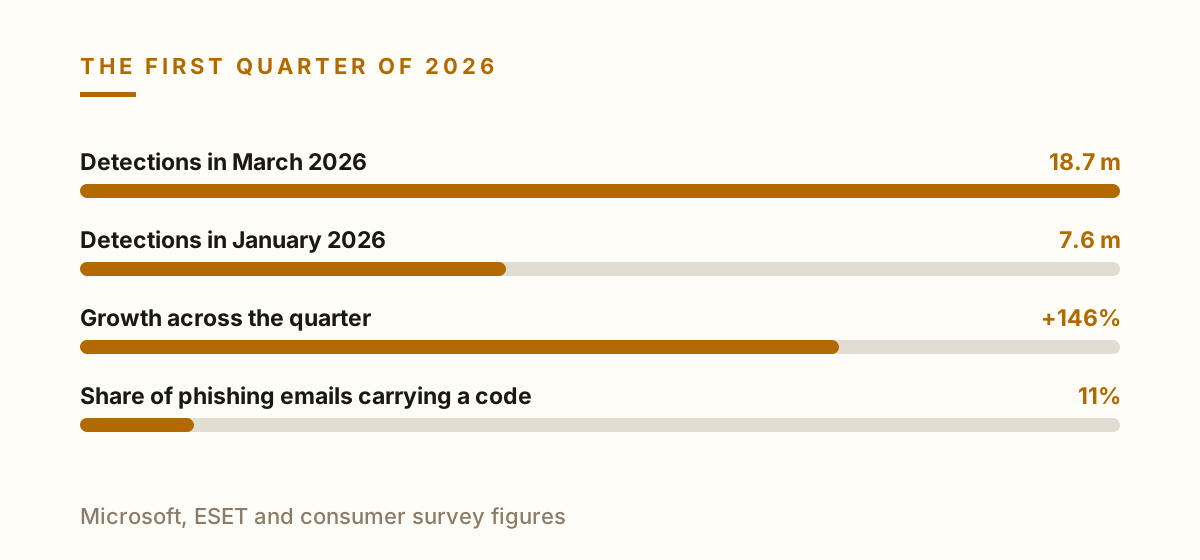
Quishing is phishing with the address hidden inside a printed square. The word is ugly and the idea is simple: a link you cannot read until you have already opened it. Microsoft detections rose from 7.6 million in January 2026 to 18.7 million in March, a 146 percent jump across the first quarter, and ESET found a QR code in roughly 11 percent of all phishing emails during the first half of the year. Fourteen percent of consumers say they have already been caught by one.
English version for the United States.
Why it has its own name
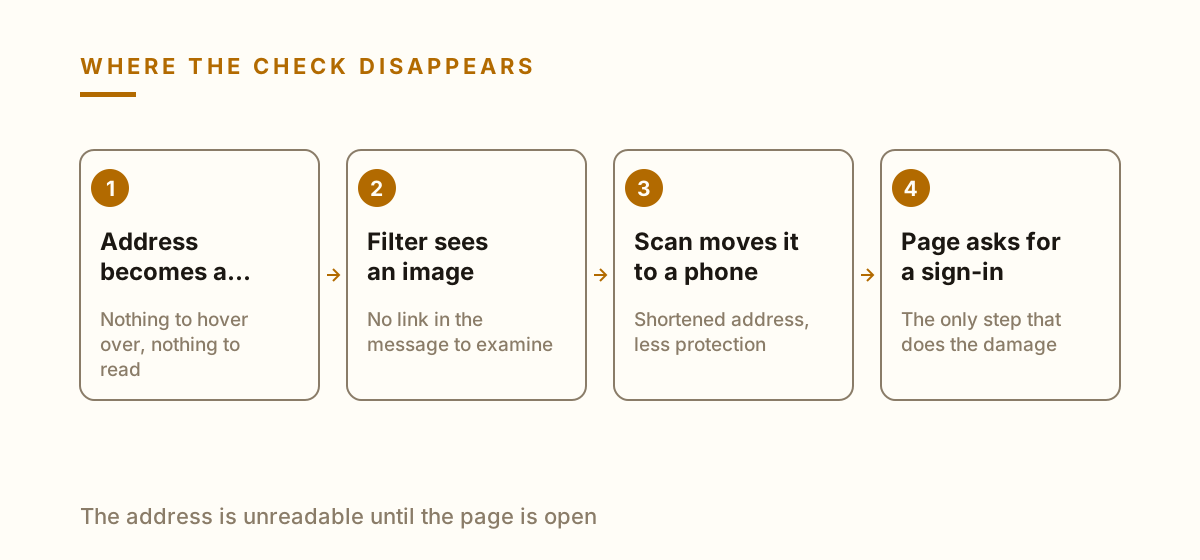
A normal phishing link can be inspected. You hover, you read the address, you notice that the domain is wrong. That entire habit stops working when the address is encoded into a pattern of squares, because there is nothing to hover over and nothing to read.
The scan usually happens on a phone, which changes who is looking. Phones show shortened addresses, hide the full path and are typically outside whatever protection the work computer has.
So the term describes a delivery method rather than a new kind of fraud. What waits at the end is the same fake sign-in page it always was.
Why mail filters miss it
To a filter a QR code is a picture. The malicious destination sits one layer below, in an image the scanner has to decode before it can judge anything, and many systems still do not decode.
Attackers add friction deliberately. The code goes inside a PDF attachment, or is split so that part of it renders only when the message is opened, which defeats simpler extraction.
The result is a message with no link in it at all. Every rule written to rewrite or check links passes it through without comment, because by its own definition there is nothing there to check.
Printed codes and stickers
The physical version needs no email. A sticker goes over the real code on a parking meter, a restaurant table, a charging point or a poster, and the surface it covers was itself never verified by anyone.
This works because the context does the persuading. Nobody expects a parking machine to be a phishing site, and the small payment being requested is exactly the amount they came to pay.
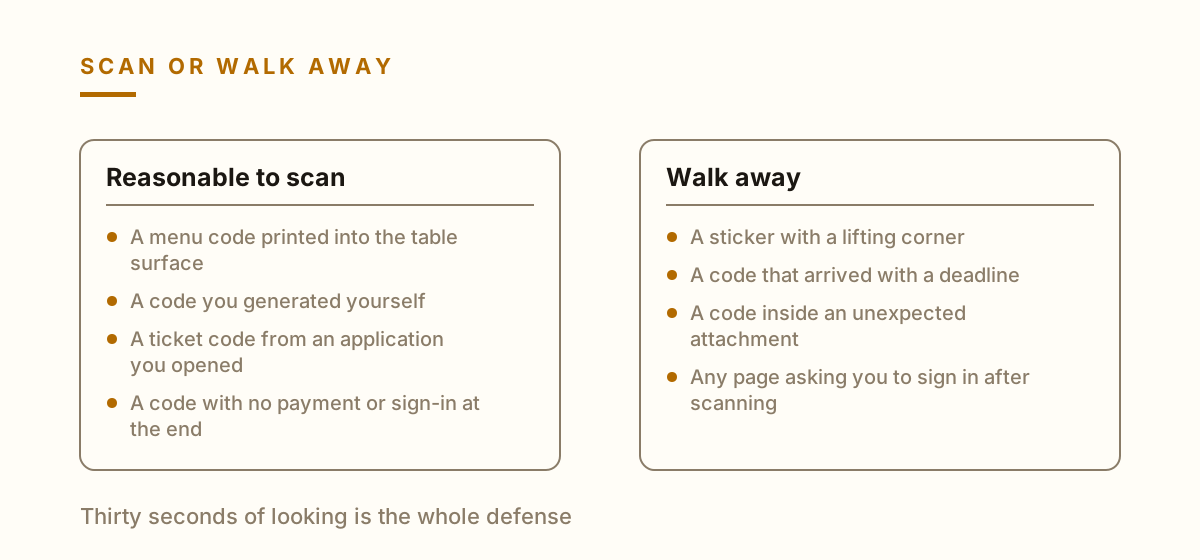
Check the edges before scanning anything in public. A sticker over a printed surface has a raised border, a slight color mismatch or a corner that lifts, and that thirty second look is the whole defense.
What to check before you scan
Look at the address preview before the page opens. Every current phone shows the destination for a moment, and closing the preview costs nothing if the domain is unfamiliar.
Refuse any code that arrives with urgency attached. Payment due today, account closing, parcel held, invoice overdue. Urgency is present to remove the pause, and the pause is what you are protecting.
Never sign in through a page reached by scanning. Open the application or type the address yourself. That single rule removes the value of the whole technique, because the credential harvest is the point of it.
If you already scanned one
Scanning by itself is rarely the damage. The page has to be opened and something has to be typed into it, so a scan that you closed immediately usually needs nothing further.
If details were entered, change that password from a different device and end the active sessions on the account. Order matters: revoke first, then change, then check the recovery settings.
If a payment went through, call the bank the same hour and ask for a chargeback or a recall. With small amounts people wait, and waiting is the reason these small amounts are chosen.